
Cisco Catalyst 9800
This article describes configuration steps for Cisco Catalyst 9800 Controller.
Click for configuration steps for Cisco 8540 controller.
Connecting
Log in to your Cisco Controller, go to the Configuration/ Security / AAA page.
On the Servers / Groups tab click Add button to create new Radius Server.
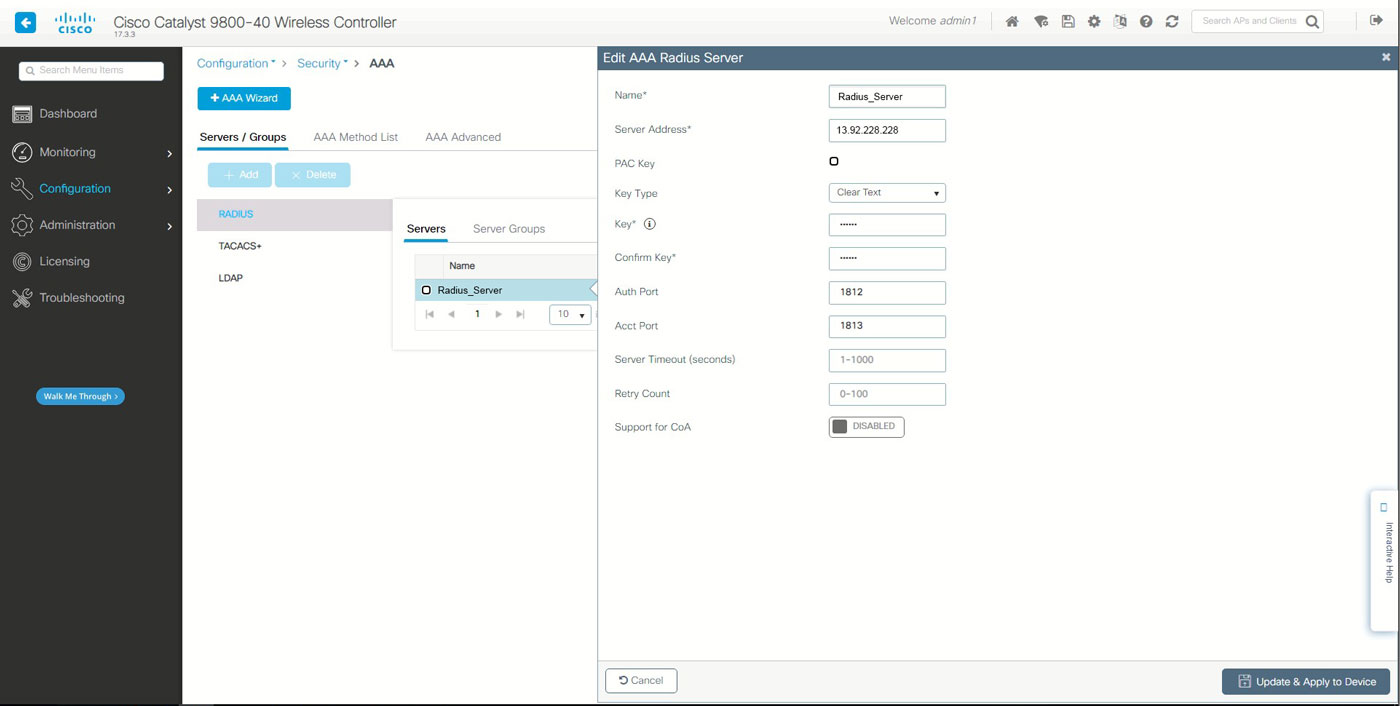
Americas:
Name: Set Radius server name
Server Address: 13.92.228.228
PAC Key: unticked
Key Type: Clear Text
Key: contact our office
Auth Port: 1812
Acct Port: 1813
Server Timeout: 1-1000
Retry Count: 0-100
Support for CoA: Disabled
Europe & Global:
Name: Set Radius server name
Server Address: 109.245.64.94
PAC Key: unticked
Key Type: Clear Text
Key: contact our office
Auth Port: 1812
Acct Port: 1813
Server Timeout: 1-1000
Retry Count: 0-100
Support for CoA: Disabled
Click Update & Apply to Device button on each page you configure.
Go to the AAA Method List / Authentication tab and add Local_Auth.
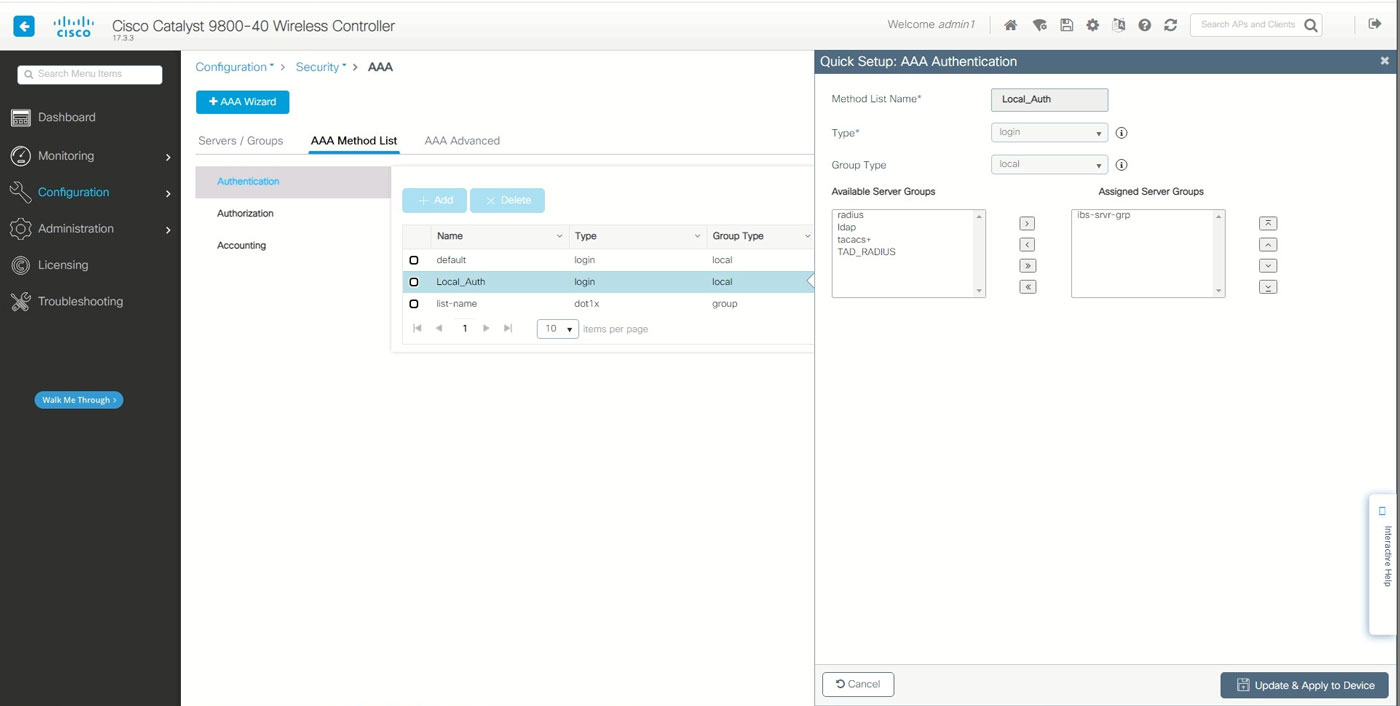
Method List Name: Local_Auth
Type: login
Group Type: local
Go to the AAA Method List / Accounting tab and add Local_Auth.
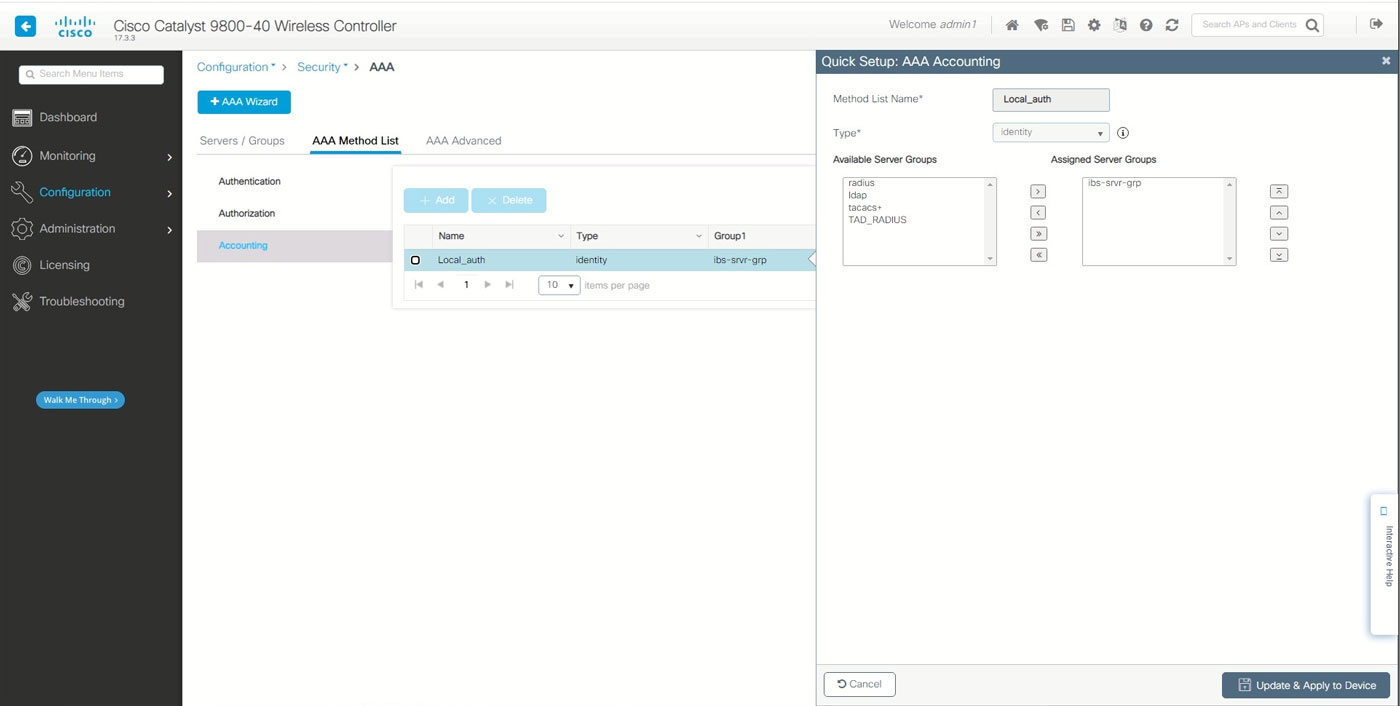
Method List Name: Local_Auth
Type: identity
Go to AAA Advanced / Global Config tab.
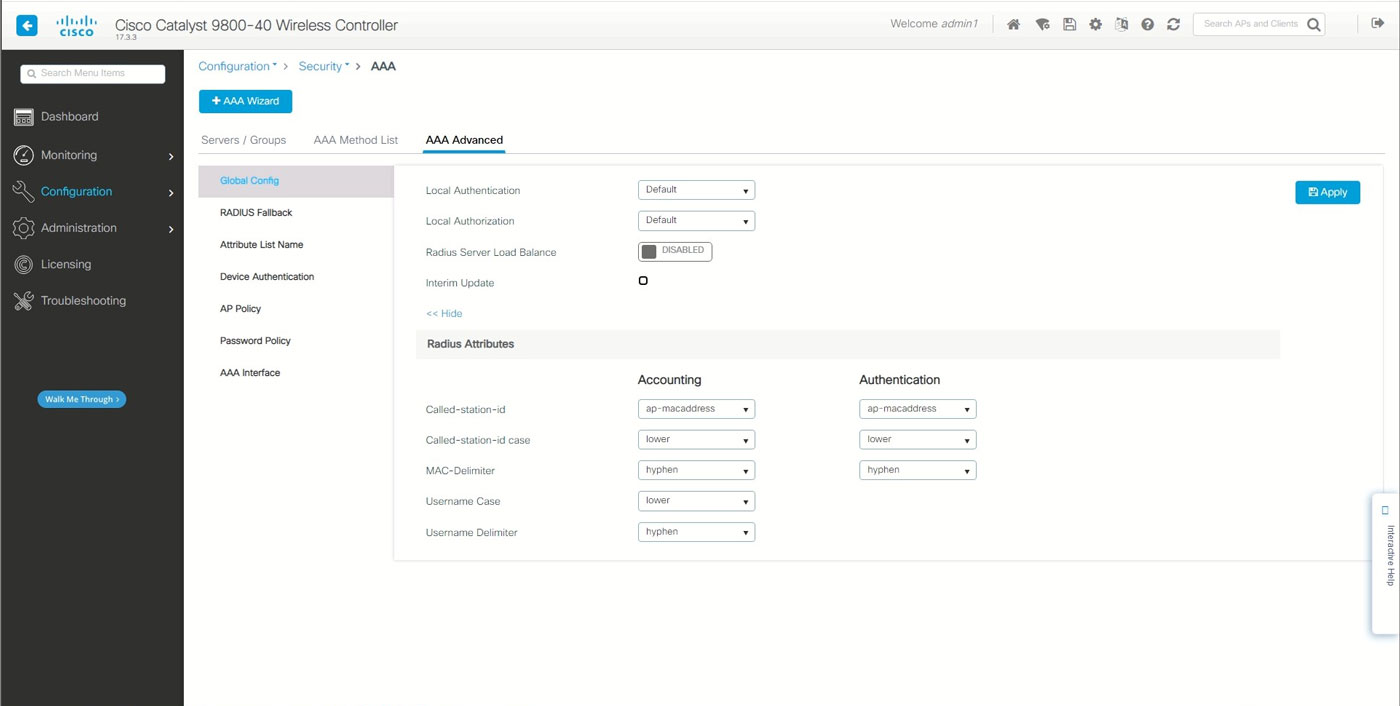
Local Authentication: Default
Local Authorization: Default
Radius Server Load Balance: Disabled
Interim Update: Unticked
Radius Attributes
Called-station-id: app-macadress
Called-station-id case: lower
MAC-Delimiter: hyphen
Username Case: lower
Username delimiter: hyphen
Go to Configuration/ Security / Web Auth page to Add Web Auth Parameter.
On the General tab set the following:
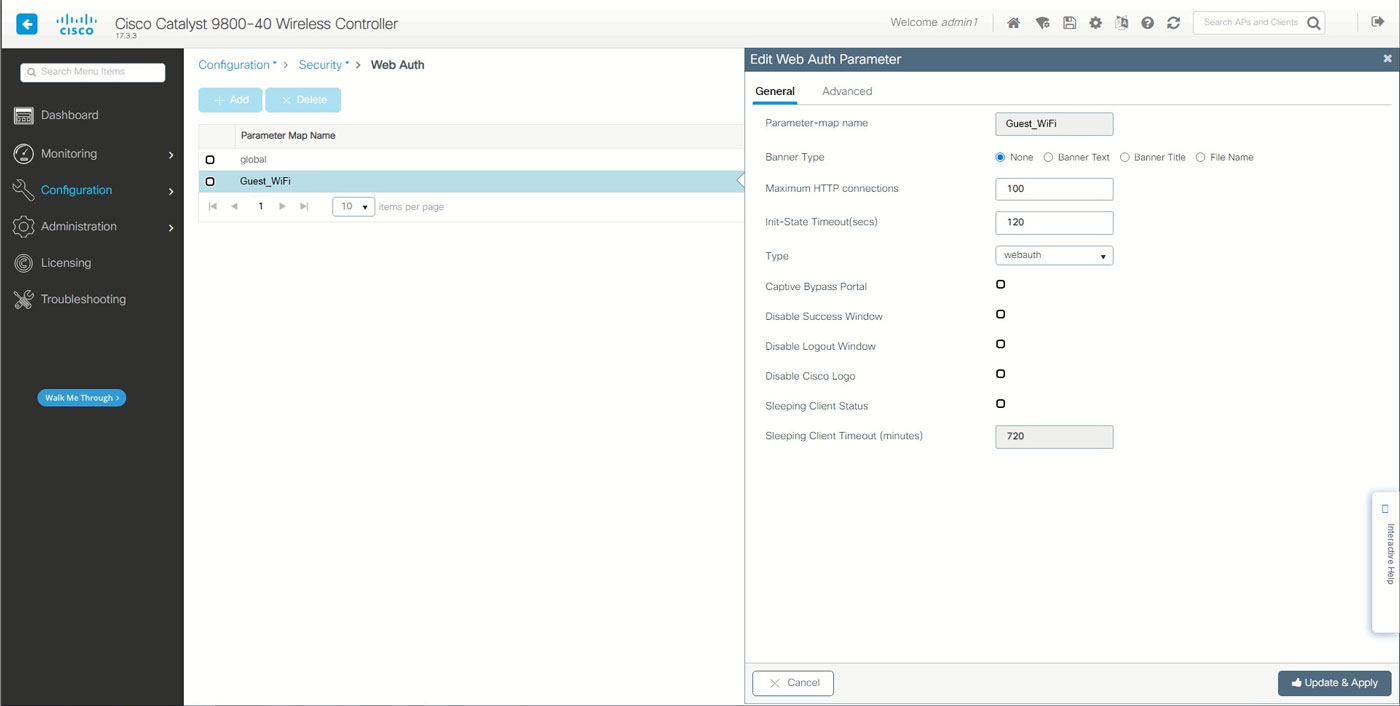
Parameter-map name: Guest_WiFi
Banner Type: None
Maximum HTTP connections: 100
Init-State Timeout(secs):120
Type: webauth
Sleeping Client Timeout (minutes): 720
On the Advanced tab set the following:
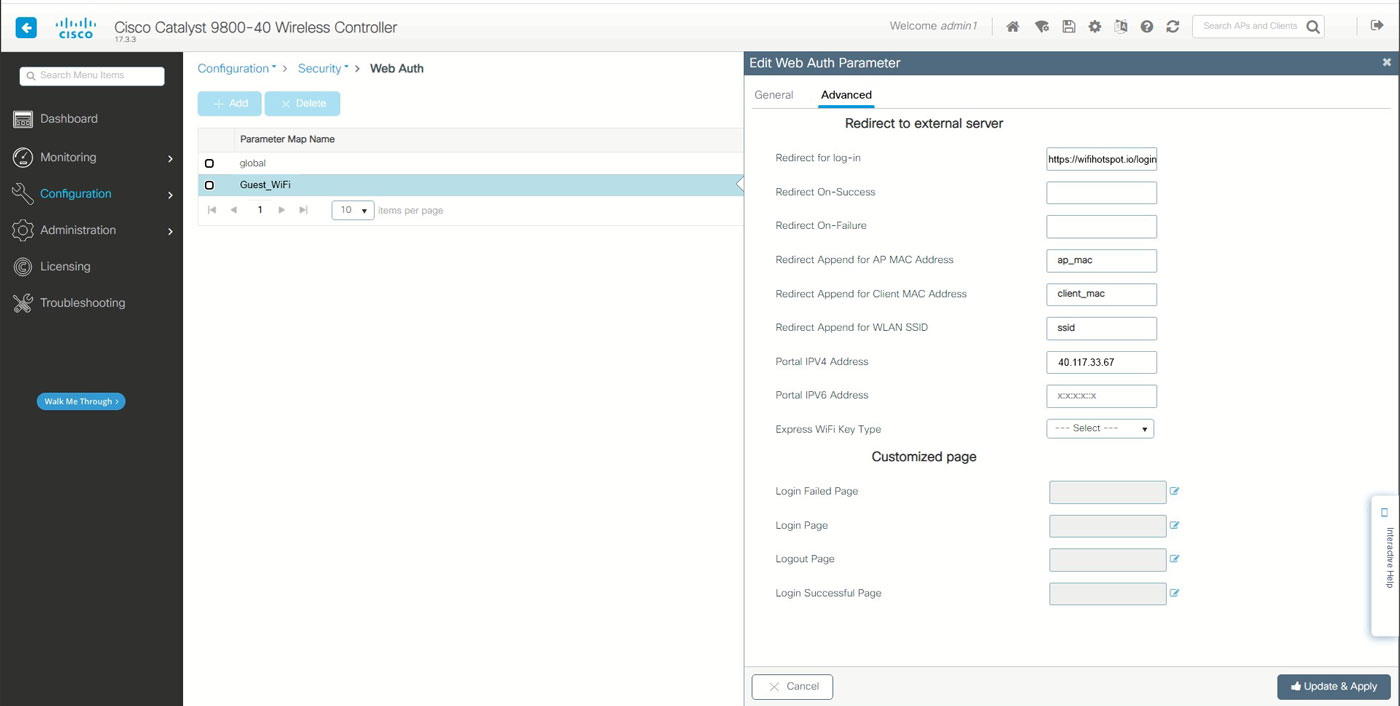
Redirect for log-in: https://wifihotspot.io/login
Redirect Append for AP MAC Address: ap_mac
Redirect Append for Client MAC Address: client_mac
Redirect Append for WLAN SSID: ssid
Portal IPV4 Adress: Enter the current IPv4 address used by your configured WiFi Hotspot portal
Portal IPV6 Adress: x:x:x:x:x