
Redirect
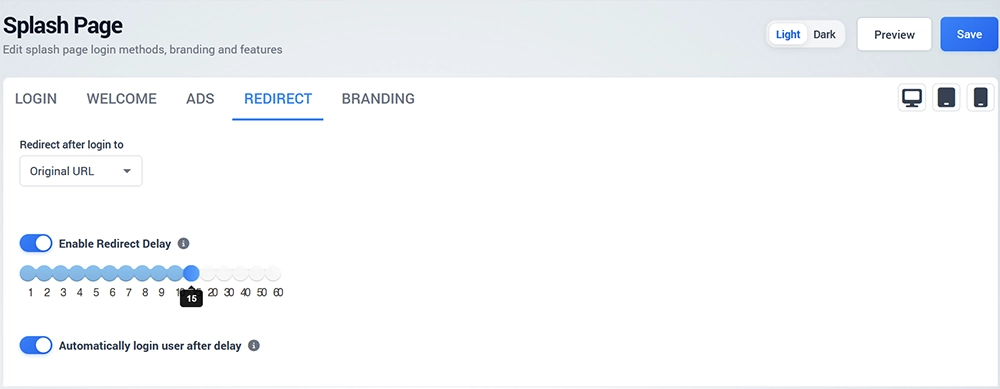
The Redirect tab controls where the visitor is sent after successful authentication.
Redirect Destination
Use Redirect after login to to select the required destination.
For example, Original URL returns the visitor to the website they originally attempted to open before authentication.
Other redirect destinations may be available depending on the configured WiFi service.
Redirect Delay
Enable Redirect Delay when the redirect should occur after a specified period instead of immediately.
Select the required delay using the available control.
Automatically Login User After Delay
Enable Automatically login user after delay when the configured workflow should automatically continue the login process after the selected delay.
Use Preview and a real guest device to test the complete redirect behavior before deploying the Splash Page.