
MAC Randomization and Returning Devices
Modern phones, tablets, and computers can use private or randomized MAC addresses to improve user privacy. When the device identifier changes, some network environments may detect a returning device as a new one.
WiFi Hotspot handles returning devices differently depending on the network equipment used.
MikroTik Networks
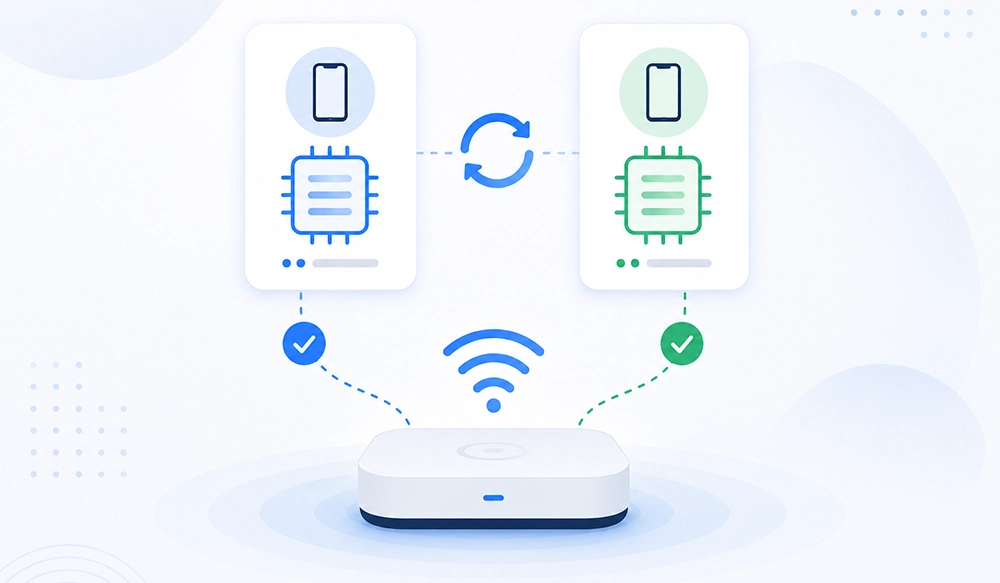
When WiFi Hotspot is used with supported MikroTik routers, MAC randomization is handled automatically.
Returning users can continue using Private or Randomized MAC addresses without manually disabling this feature on their devices.
Autologin continues to recognize returning users and devices, providing a seamless guest WiFi experience.
Disabling MAC randomization is not required for supported MikroTik deployments.
Other Supported Routers and Network Devices
With other supported routers and controllers, Autologin depends on stable device identification provided by the network.
If a phone, tablet, or computer changes its randomized MAC address, WiFi Hotspot may detect it as a new device.
To avoid administrator intervention, users can manage their registered devices themselves through the MAC Randomization Assistant.
MAC Randomization Assistant
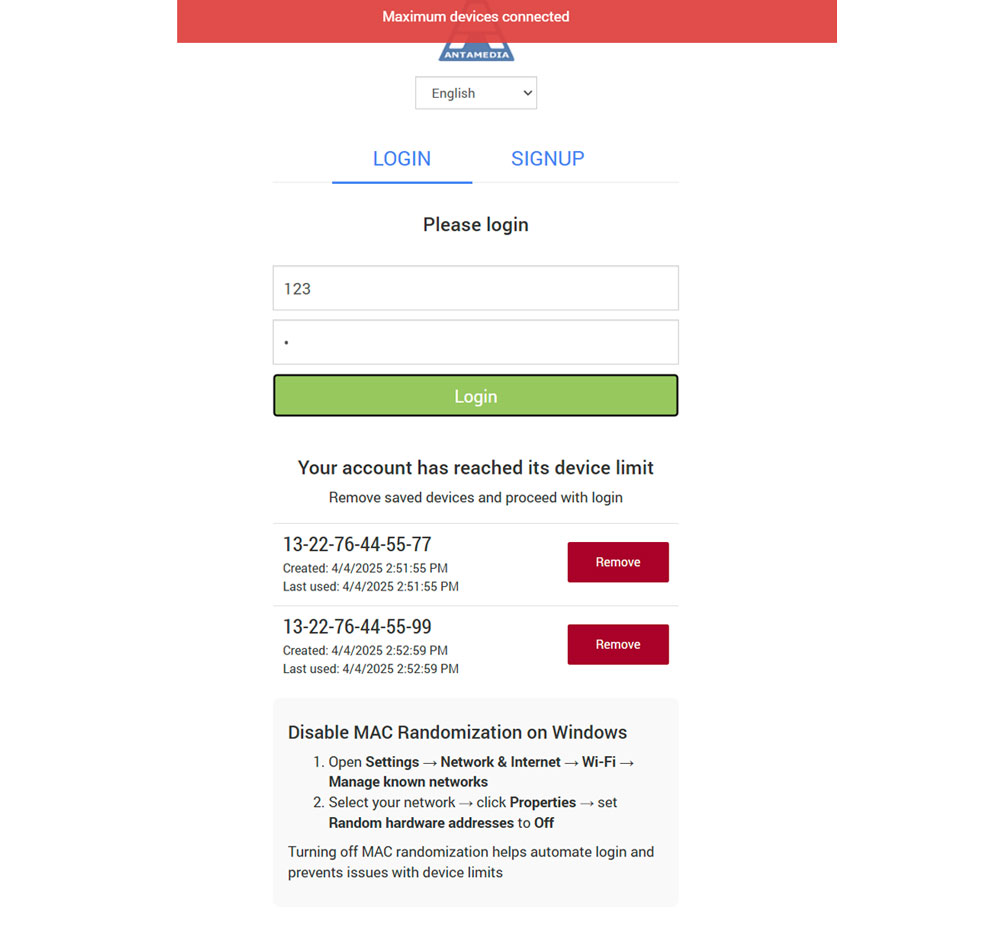
The MAC Randomization Assistant is a self-service feature for environments where a changed device identifier can affect Autologin or configured device limits.
When the user reaches the allowed device limit, the Assistant displays previously registered devices and allows outdated entries to be removed.
The current device can then be added to the account and used for WiFi access.
How the Assistant Works
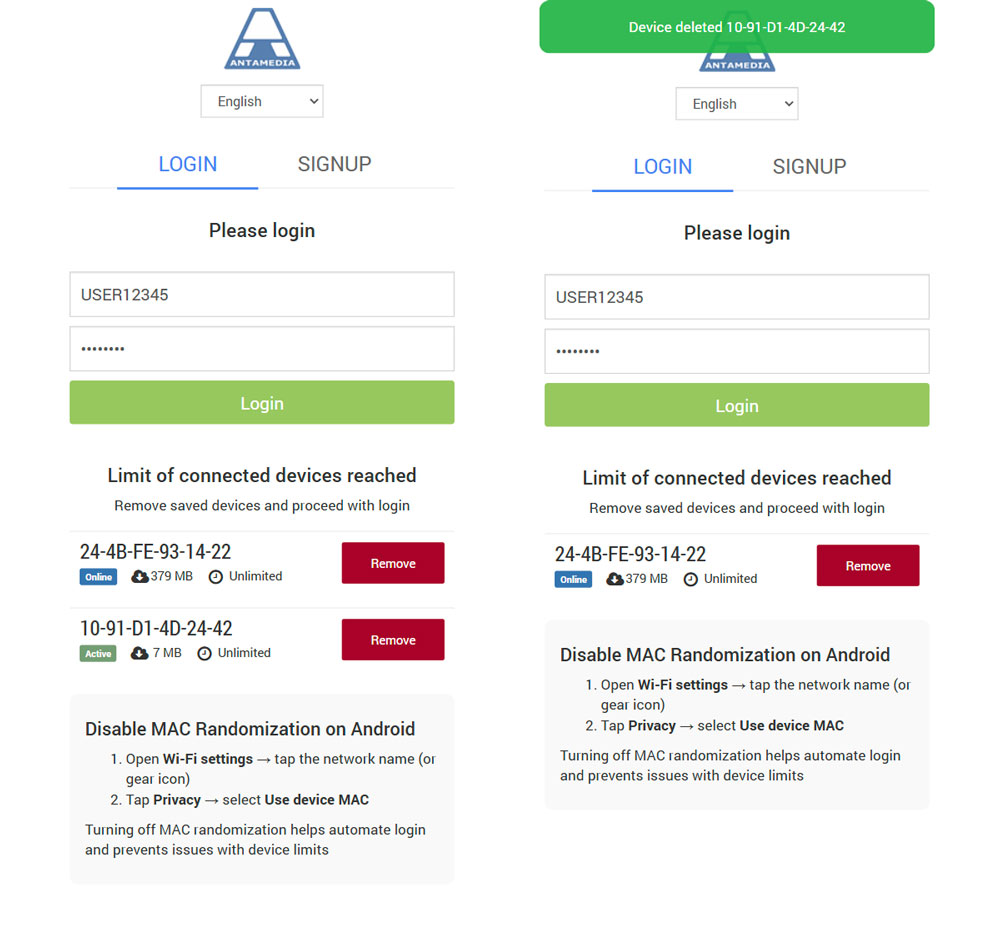
The returning user connects to the WiFi network.
WiFi Hotspot detects that the account has reached its configured device limit.
The MAC Randomization Assistant displays the registered devices.
The user identifies an old or unused device.
The user clicks Remove.
The available device slot is released.
The current device can be associated with the account and continue with WiFi access.
This process allows users to resolve changed-device situations without contacting the network administrator.
Device Instructions
The Assistant can also display instructions related to Private Address or MAC Randomization settings on common devices such as iPhone, iPad, Android, and Windows.
These instructions are intended as additional guidance for network environments where stable device identification is required.
They should not be presented as the default solution.
For supported MikroTik deployments, users do not need to disable Private or Randomized MAC addresses.
Autologin and Returning Devices
Autologin is designed to simplify repeat WiFi access for returning users.
With supported MikroTik routers, MAC randomization is handled automatically.
With other supported routers and controllers, a changed MAC address may require the user to update the registered device through the MAC Randomization Assistant.
This allows WiFi Hotspot to support both modern privacy features and practical returning-user access across different network environments.
Device Limits
Internet Plans can define how many devices a user is allowed to use.
When device limits are enabled, obsolete device entries may prevent a new or changed device from connecting.
The MAC Randomization Assistant gives users a simple way to remove an outdated entry and make space for the current device.
Benefits
The updated approach helps maintain reliable returning-user access while reducing unnecessary support requests.
It provides automatic handling for supported MikroTik deployments, self-service device management for other supported network environments, fewer failed logins caused by changed device identifiers, and a better Autologin experience without requiring users to routinely disable privacy features.