
Whitelist
A Whitelist, also known as a Walled Garden, defines the domains, IP addresses, and online services that WiFi users can access before they complete authentication.
Correct whitelist configuration is required for the WiFi Hotspot Splash Page and for optional services such as Social Login, payment gateways, secure authentication, and other external integrations.
Only add entries required by the services you actually use.
WiFi Hotspot Whitelist
The following entries are required for communication with WiFi Hotspot and related services.
The exact way domains are entered depends on your router, access point, gateway, or WiFi controller.
Routers That Support Wildcard Records
Some network devices support wildcard entries such as:
*.domain.com
For these devices, use the following whitelist entries.
For routers that support the wildcard record
antamedia.net
app.antamedia.net
app.antamedia.com
wifihotspot.io
static.cloudflareinsights.com
13.92.228.228
109.245.64.94
91.150.99.187
ocsp.sectigo.com
ocsp.usertrust.com
ocsp.comodoca.com
crl.sectigo.com
crl.usertrust.com
crl.comodoca.com
crt.sectigo.com
crt.usertrust.com
crt.comodoca.com
*.sectigo.com
*.usertrust.com
o.pki.goog
Routers Without Wildcard Support
Some network devices do not support wildcard domain entries and require individual domains to be added.
Do not assume that wildcard syntax is supported by every network device. Follow the dedicated WiFi Hotspot configuration guide for the router or controller you are using.
For these devices, use the following whitelist entries.
For routers without the wildcard record
antamedia.net
app.antamedia.net
app.antamedia.com
wifihotspot.io
static.cloudflareinsights.com
13.92.228.228
109.245.64.94
91.150.99.187
ocsp.sectigo.com
ocsp.usertrust.com
ocsp.comodoca.com
crl.sectigo.com
crl.usertrust.com
crl.comodoca.com
crt.sectigo.com
crt.usertrust.com
crt.comodoca.com
sectigo.com
usertrust.com
o.pki.goog
White Label Whitelist
White Label deployments use their own portal and website domains.
In addition to the required WiFi Hotspot infrastructure entries, add the domains configured for your own White Label service.
Replace example domains such as:
yourportaldomain.comyourwebsite.com
with the actual portal and website domains used by your deployment.
Whitelist for Whitelabel customers only
yourportaldomain.com ( like connect.wifihotspot.io)
yourwewebsite.com ( like wifihotspot.io)
static.cloudflareinsights.com
13.92.228.228
109.245.64.94
91.150.99.187
ocsp.sectigo.com
ocsp.usertrust.com
ocsp.comodoca.com
crl.sectigo.com
crl.usertrust.com
crl.comodoca.com
crt.sectigo.com
crt.usertrust.com
crt.comodoca.com
*.sectigo.com
*.usertrust.com
o.pki.goog
MikroTik Example
MikroTik supports wildcard entries in the Walled Garden, which can simplify configuration when a service requires multiple related domains.
Add the required WiFi Hotspot entries and any additional domains required by the login methods or services enabled on your Splash Page.
For detailed configuration, use the dedicated MikroTik WiFi Hotspot setup guide.
antamedia.net
app.antamedia.net
app.antamedia.com
wifihotspot.io
static.cloudflareinsights.com
13.92.228.228
109.245.64.94
91.150.99.187
ocsp.sectigo.com
ocsp.usertrust.com
ocsp.comodoca.com
crl.sectigo.com
crl.usertrust.com
crl.comodoca.com
crt.sectigo.com
crt.usertrust.com
crt.comodoca.com
*.sectigo.com
*.usertrust.com
*facebook*
*facebook.net
*googleapis*
o.pki.goog
LigoWave Example
Devices without the same wildcard capabilities may require domains to be entered individually.
Always verify the exact whitelist syntax supported by the network device you are configuring.
antamedia.net
app.antamedia.net
app.antamedia.com
wifihotspot.io
static.cloudflareinsights.com
13.92.228.228
109.245.64.94
91.150.99.187
ocsp.sectigo.com
ocsp.usertrust.com
ocsp.comodoca.com
crl.sectigo.com
crl.usertrust.com
crl.comodoca.com
crt.sectigo.com
crt.usertrust.com
crt.comodoca.com
sectigo.com
usertrust.com
facebook.com
facebook.net
twitter.com
instagram.com
google.com
youtube.com
o.pki.goog
Social Login Whitelist
Social Login requires the authentication services of the selected social network to be accessible before the WiFi user receives full Internet access.
Add the whitelist entries for only the social networks that you enable on your Splash Page.
Important: Any domain added to the whitelist can be accessible before WiFi authentication. Avoid adding services that are not required.
Social network providers can modify their authentication infrastructure over time. If a previously working Social Login stops working, verify the current requirements of the provider as well as your WiFi Hotspot configuration.
For Social Login configuration, see the Social Login guide.
*.facebook.com
*.facebook.net
*.akamaihd.net
*.fbcdn.net
*.atdmt.com
*.fbsbx.com
——————————
facebook.com
facebook.net
akamaihd.net
fbcdn.net
atdmt.com
fbsbx.com
——————————
31.13.24.0/21
157.240.0.0/16
31.13.0.0/16
www.facebook.com
www.facebook.net
connect.facebook.net
maps.googleapis.com
akamaihd.net
staticxx.facebook.com
static.xx.fbcdn.net
pixel.facebook.com
fbsbx.com
– if it does not work, try adding:
45.64.40.0/22
66.220.144.0/20
69.63.176.0/20
69.171.224.0/19
74.119.76.0/22
103.4.96.0/22
129.134.0.0/16
173.252.64.0/18
179.60.192.0/22
185.60.216.0/22
204.15.20.0/22
X
twitter.com
api.twitter.com
*.twimg.com
*.akamaihd.net
*.twitter.com
————————
twitter.com
twimg.com
abs.twitter.com
————————
twitter.com
www.twitter.com
abs.twitter.com
abs.twitimg.com
api.twitter.com
pbs.twimg.com
199.16.156.0/22
199.59.148.0/22
199.96.56.0/21
192.133.76.0/22
linkedin.com
www.linkedin.com
platform.linkedin.com
slicdn.com
*linkedin*
*linkedin.com
*licdn.com
*akamai.net
*akamaiedge.net
*msedge.net
————————
linkedin.com
licdn.com
akamaiedge.net
————————
91.225.248.0/23
linkedin.com
www.linkedin.com
platform.linkedin.com
slicdn.com
licdn.com
static.licdn.com
184.51.0.0/16
108.174.0.0/16
– if it does not work, try adding:
103.20.94.0/23
108.174.0.0/22
108.174.4.0/24
108.174.8.0/22
108.174.12.0/23
144.2.0.0/22
144.2.192.0/24
216.52.16.0/23
216.52.18.0/24
216.52.20.0/23
216.52.22.0/24
65.156.227.0/24
8.39.53.0/24
185.63.144.0/24
185.63.147.0/24
199.101.161.0/24
64.152.25.0/24
8.22.161.0/24
Line.me
access.line.me
static.line-scdn.net
d.line-scdn.net
profile.line-scdn.net
optout-api.tr.line.me
torimochi.line-apps.com
VK
oauth.vk.com
st6-22.vk.com
vk.com
top-fwz1.mail.ru
stats.vk-portal.net
login.vk.com
tns-counter.ru
————————
*.vk.com
accounts.youtube.com
accounts.google.*
ssl.gstatic.com
ssl.google-analytics.com
*.googleusercontent.com
*.akamaihd.net
*.google.com
*.googleapis.com
*.gstatic.com
————————
googleapis.com
gstatic.com
————————
accounts.youtube.com
accounts.google.com
ssl.gstatic.com
ssl.google-analytics.com
googleusercontent.com
o.pki.goog
Google Play
android.clients.google.com
*.googleapis.com
*.gvt1.com
*.ggpht.com
*.googleusercontent.com
*.gstatic.com
accounts.google.com
accounts.youtube.com
connectivitycheck.android.com
connectivitycheck.gstatic.com
Youtube
youtube.com
*.youtube.com
*.doubleclick.net
*.googlesyndication.com
*.googlevideo.com
*.ytimg.com
————————
ytimg.com
youtube.com
www.youtube.com
doubleclick.net
googlesyndication.com
googlevideo.com
Payment Gateway Whitelist
Payment gateways used directly from the Splash Page must be able to load before the visitor has full Internet access.
Add the corresponding whitelist entries only for the payment gateway that you use.
Payment providers may change domains, security services, CAPTCHA providers, wallet services, and other dependencies. If a payment page stops loading correctly, check the current payment gateway requirements in addition to the entries listed here.
Stripe
*stripe*
——————————
m.stripe.com
r.stripe.com
api.stripe.com
stripe
js.stripe.com
m.stripe.network
merchant-ui-api.stripe.com
gstripe
hcaptcha.com
newassets.hcaptcha.com
api2.hcaptcha.com
api.hcaptcha.com
pay.google.com
www.gstatic.com
play.google.com
——————————
– if it does not work, try adding:
a.stripecdn.com
api.stripe.com
atlas.stripe.com
auth.stripe.com
b.stripecdn.com
billing.stripe.com
buy.stripe.com
c.stripecdn.com
checkout.stripe.com
climate.stripe.com
connect.stripe.com
dashboard.stripe.com
express.stripe.com
files.stripe.com
hooks.stripe.com
invoice.stripe.com
invoicedata.stripe.com
js.stripe.com
m.stripe.com
m.stripe.network
manage.stripe.com
pay.stripe.com
payments.stripe.com
q.stripe.com
qr.stripe.com
r.stripe.com
verify.stripe.com
stripe.com
terminal.stripe.com
uploads.stripe.com
——————————
IP addresses
The full list of IP addresses that api.stripe.com may resolve to is:
13.112.224.240
13.115.13.148
13.210.129.177
13.210.176.167
13.228.126.182
13.228.224.121
13.230.11.13
13.230.90.110
13.55.153.188
13.55.5.15
13.56.126.253
13.56.173.200
13.56.173.232
13.57.108.134
13.57.155.157
13.57.156.206
13.57.157.116
13.57.90.254
13.57.98.27
18.194.147.12
18.195.120.229
18.195.125.165
34.200.27.109
34.200.47.89
34.202.153.183
34.204.109.15
34.213.149.138
34.214.229.69
34.223.201.215
34.237.201.68
34.237.253.141
34.238.187.115
34.239.14.72
34.240.123.193
34.241.202.139
34.241.54.72
34.241.59.225
34.250.29.31
34.250.89.120
35.156.131.6
35.156.194.238
35.157.227.67
35.158.254.198
35.163.82.19
35.164.105.206
35.164.124.216
50.16.2.231
50.18.212.157
50.18.212.223
50.18.219.232
52.1.23.197
52.196.53.105
52.196.95.231
52.204.6.233
52.205.132.193
52.211.198.11
52.212.99.37
52.213.35.125
52.22.83.139
52.220.44.249
52.25.214.31
52.26.11.205
52.26.132.102
52.26.14.11
52.36.167.221
52.53.133.6
52.54.150.82
52.57.221.37
52.59.173.230
52.62.14.35
52.62.203.73
52.63.106.9
52.63.119.77
52.65.161.237
52.73.161.98
52.74.114.251
52.74.98.83
52.76.14.176
52.76.156.251
52.76.174.156
52.77.80.43
52.8.19.58
52.8.8.189
54.149.153.72
54.152.36.104
54.183.95.195
54.187.182.230
54.187.199.38
54.187.208.163
54.238.140.239
54.65.115.204
54.65.97.98
54.67.48.128
54.67.52.245
54.68.165.206
54.68.183.151
107.23.48.182
107.23.48.232
https://stripe.com/docs/ips#ip-addresses
Paypal
————————————
paypal
t.paypal.*
akamai
Authorize.net
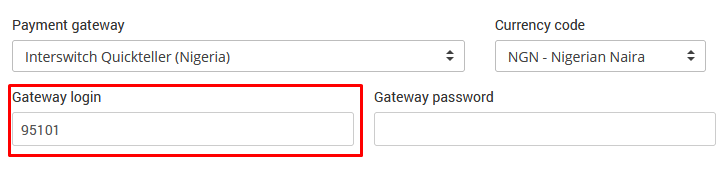
Interswitch Quickteller is currently not supported
Secure Authentication Whitelist
External identity providers also require their authentication services to be reachable before the user receives normal Internet access.
Microsoft ENTRA ID
Key URLs for allow-listing:
login.microsoftonline.com
login.windows.net
login.microsoft.com
microsoftonline-p.com
authenticator.microsoft.com
*.login.microsoftonline.com
*.aadcdn.msftauth.net
*.aadcdn.msftauthimages.net
*.aadcdn.msauthimages.net
*.logincdn.msftauth.net
*.login.live.com
*.msauth.net
*.aadcdn.microsoftonline-p.com
*.microsoftonline-p.com
Apple Pay
smp-paymentservices.apple.com
paymentservices.apple.com
*apple-dns.net
*akadns.net
captive.g.aaplimg.com
*apple-dns.net
www.apple.com
ocsp.apple.com
v.aaplimg.com
apple-pay-gateway-apple.com
apple-pay-gateway-nc-pod2.apple.com
apple-pay-gateway-nc-pod1.apple.com
www.gstatic.com
The full list of IP addresses that Apple Pay may resolve to is available here:
Apple Pay IP addresses and domain names
Please note, these IP ranges and domains are subject to change depending on the social network setup.
Security Considerations
A whitelist bypasses normal pre-authentication restrictions for the entries it contains.
For this reason:
Add only entries required by features you actually use.
Avoid unnecessary wildcard rules.
Avoid whitelisting complete external services when only specific authentication services are required.
Remove entries for integrations that are no longer used.
Test unauthenticated access after changing the whitelist.
Verify that normal Internet browsing still requires successful WiFi authentication.A larger whitelist is not necessarily a better whitelist. The objective is to allow the Splash Page and required integrations to work while keeping normal Internet access restricted until authentication is complete.
Test the Whitelist
After adding or modifying whitelist entries:
Use a device that does not already have an authenticated WiFi session.
Connect to the guest WiFi network.
Confirm that the Splash Page loads correctly.
Test every enabled login method.
Test Social Login when used.
Test the configured payment gateway when paid WiFi is enabled.
Test Microsoft Entra ID or other external authentication when configured.
Verify that normal websites remain unavailable before authentication.
Complete the WiFi login process.
Confirm that normal Internet access becomes available.
Always perform the test from the guest network rather than from an administrator or unrestricted network.
Troubleshooting
If the Splash Page or an external integration does not load correctly:
Confirm that the required domains are present in the whitelist.
Check whether your device supports wildcard entries.
Verify DNS resolution from the guest network.
Check firewall and captive portal rules.
Confirm that the user does not already have an authenticated session.
Test the affected integration from a new guest session.
For third-party services, verify whether the provider has changed its authentication or payment requirements.
When only one external service fails while the Splash Page and other services work correctly, check the whitelist requirements for that specific integration first.
Keep the Whitelist Current
WiFi Hotspot platform entries and third-party integration entries serve different purposes.
WiFi Hotspot domains are required for the platform itself, while Social Login providers, payment gateways, and identity providers control their own external infrastructure.
Review the whitelist when:
A new integration is enabled.
An existing integration is removed.
Social Login stops working.
A payment gateway changes its checkout process.
Secure authentication requirements change.
Network hardware is replaced.
This helps keep the guest network functional without unnecessarily expanding pre-authentication Internet access.