
While other WiFi software solutions usually work with PayPal only, Antamedia Cloud WiFi supports over 50 major Internet Payment Gateways.
Besides major Payment gateways like PayPal, Stripe, Authorize.NET, we have recently added the most requested African payment gateway systems AppsNmobile Solutions (Ghana), PesaMoni (Uganda, Kenya), MPESA Flutterwave (Kenya)…
Stripe powers online payment processing and financial solutions for businesses of all sizes. Antamedia’s integration with Stripe enables you to accept payments and automate transactions.
Go to the Payment Gateway page and press the New Payment Gateway button.
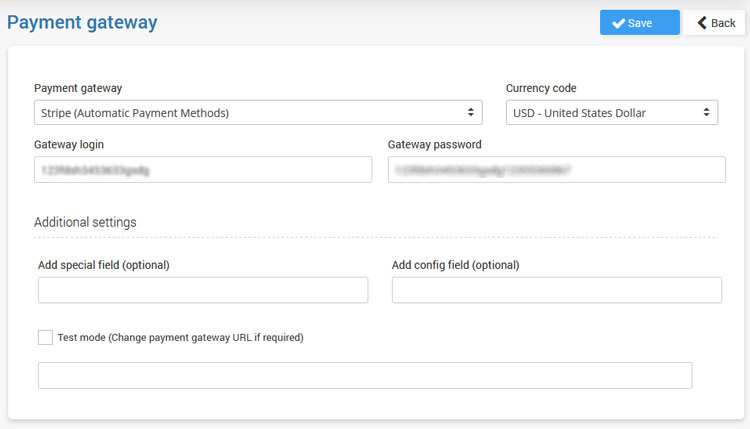
From the Payment Gateway list select Stripe (Automatic Payment Methods) and set the desired currency code.
As Gateway login and Gateway password type Stripe account-specific details and Save changes.
 More information on how to configure Stripe to accept payments from WiFi users is available here.
AppsNmobile Solutions is a Payment Gateway provider and software development company in Ghana.
Their Orchard payments solution accepts mobile money payments to all 3 networks in Ghana (i.e. MTN, Vodafone & AirtelTigo), Visa and MasterCard, etc…
Go to the Payment Gateway page and press the New Payment Gateway button.
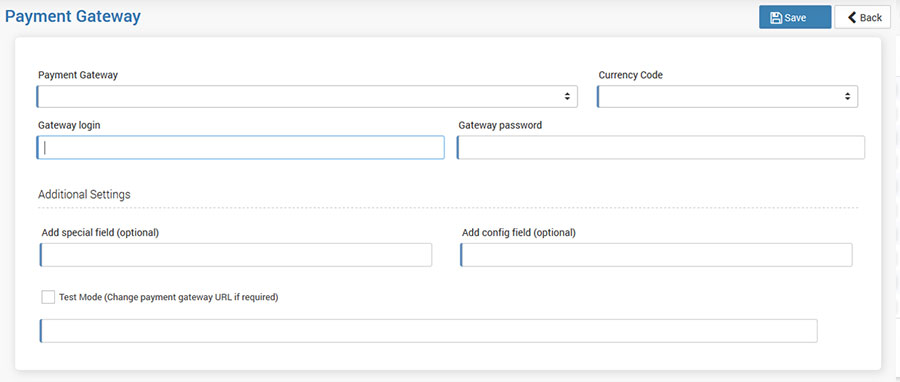
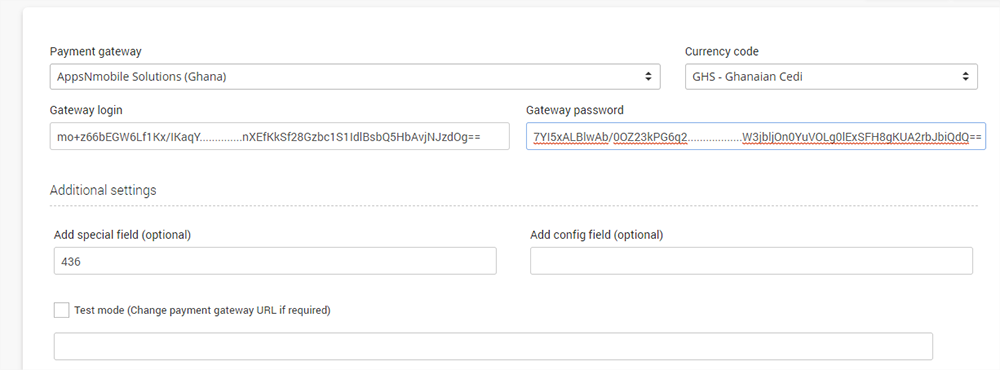
From the Payment Gateway list select AppsNmobile Solutions and set GHS as a currency code.
As Gateway login and Gateway password type account specific details and Save changes. At Add special field type AppsNmobile Solutions customer ID.
PesaMoni Ltd or PesaMoni System plays a role of centralizing and integrating all services of money transfer into one pool source to make money transfer very easy. And this includes across the globe where money can be sent through PesaMoni integrated System into regions of East Africa but on mobile and bank as well which makes it cost saving, convenient, and instant to avoid cash in transit.
From the Payment Gateway list select PesaMoni and set currency code.
As Gateway login and Gateway password type account-specific details and Save changes.

One platform that lets you sell wherever your customers are — online, in‑person, anywhere in the world, and everywhere in‑between. MPESA Flutterwave accepts Debit and Credit Cards, Bank Account, Mobile Money, Visa QR, etc…
From the Payment Gateway list select MPESA Flutterwave and set KES as a currency code.
As API Secret Key type account specific details and Save changes.

Flutterwave is one of the leading payment gateways in Nigeria and Africa. You can collect payments in USD, GBP, EUR, NGN and a host of other African currencies.
Netcash is a market-leading payment solutions provider to South African businesses and organizations, specializing in Debit Orders, Salary and Creditor payments, Pay Now and Risk Reports
From the Payment Gateway list select Netcash, set ZAR as a currency code and type Service key and Software vendor key.

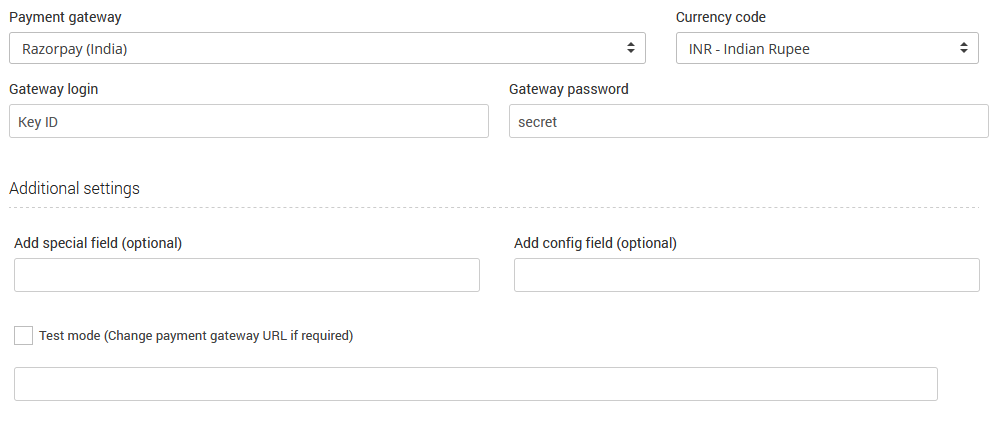
Razorpay aims to revolutionize money management for online businesses by providing clean, developer-friendly APIs and hassle-free integration.
From the Payment Gateway list select Razorpay, set INR as a currency code and type Key ID and secret.
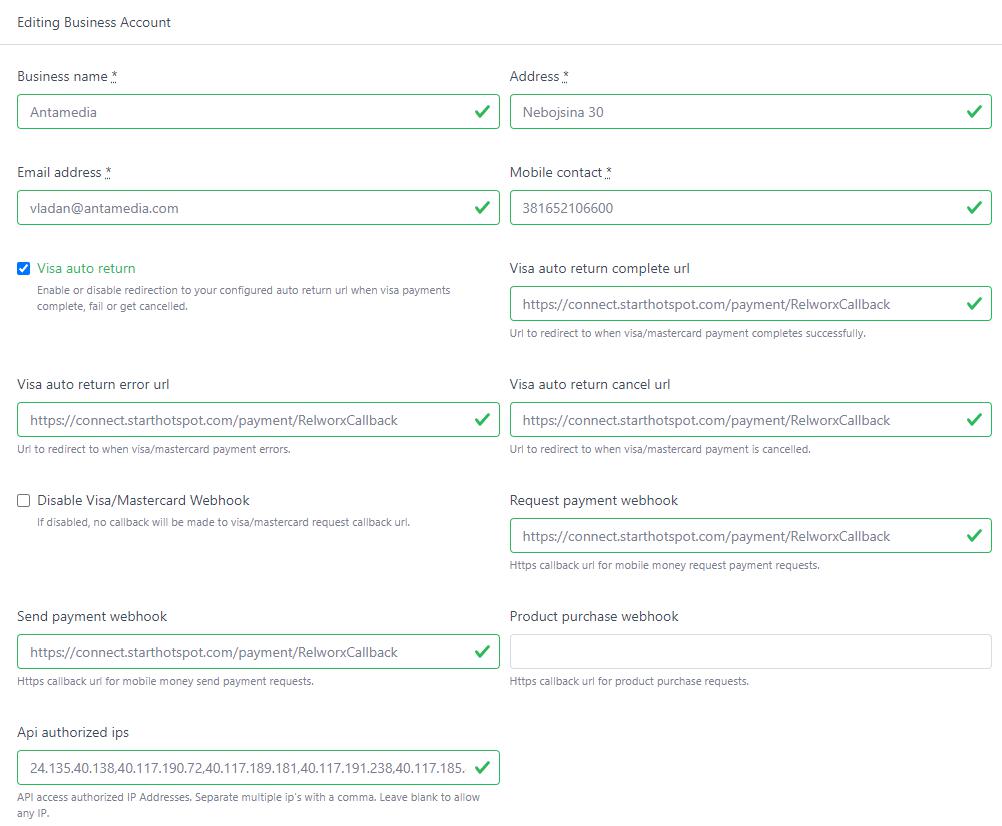
Relworx processes payments for all types of businesses, from small businesses, start-ups, developers, to banks.
From the Payment Gateway list select Realworx, set INR as a currency code and type Account Number and API Key. To get this information, go to Relworx portal and create a new Api key. Once created, press View (Key), Edit (Key), and check the Authorized Business Accounts for which you want to assign this key. After that, go back to Business Accounts, press View, at the bottom press Edit Business Account.
In API Authorized IPs add following:
| API Authorized IPs | 24.135.40.138,40.117.190.72,40.117.189.181,40.117.191.238, 40.117.185.80,40.117.184.255,40.117.191.238,40.117.185.80, 40.117.184.255,52.240.52.29,52.240.52.183,52.240.52.184, 52.240.52.185,52.240.52.186,40.117.190.72,40.71.11.156 |
|---|
For Whitelabel installations, please set your public IP addresses.
Set https://connect.starthotspot.com/payment/RelworxCallback for indicated fields. Of course, configure your business details.
Xendit integrates PayMaya and GCash eWallets.
Login to https://dashboard.xendit.co/login
Under Manage API keys, generate API key.
Set Write to Money-In.

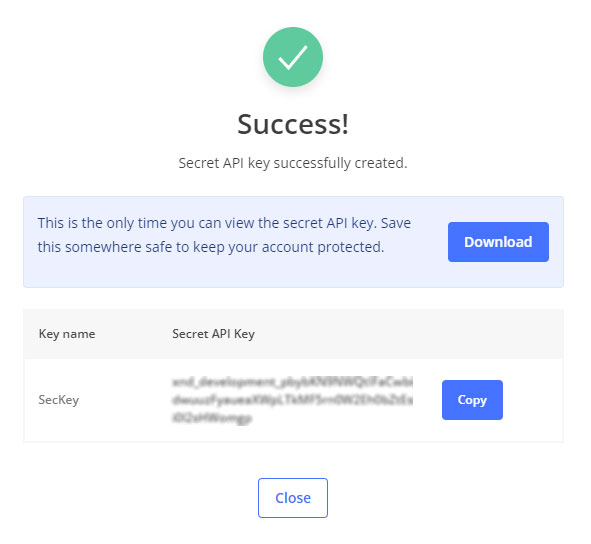
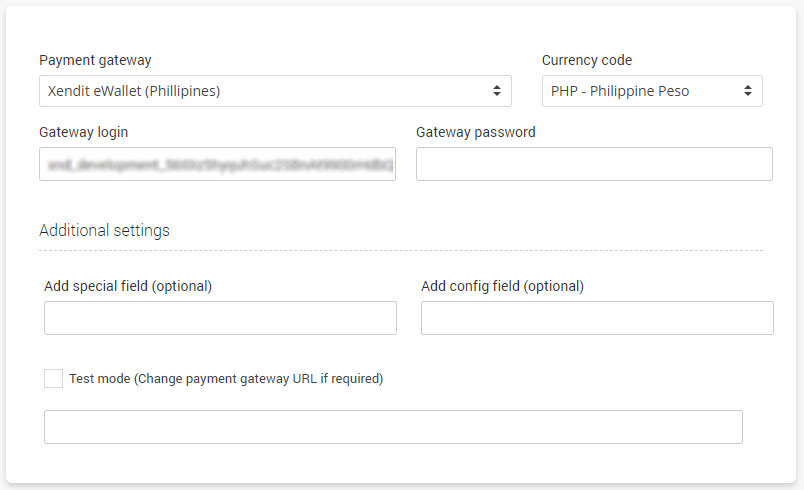
Copy your SecKey and configure it in our portal like:
Configure callback url for eWallet Payment Status as:
https://connect.starthotspot.com/payment/XenditCallback
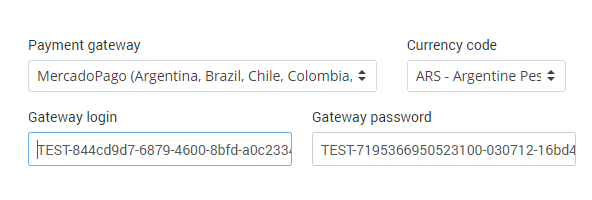
MercadoPago is one of the largest online payment solutions in Latin America. It was launched in 2004 and has operations in Argentina, Brazil, Chile, Colombia, Mexico, Peru, Uruguay.
From the Payment Gateway list select MercadoPago, set a currency code and type Gateway Login and Gateway Password.
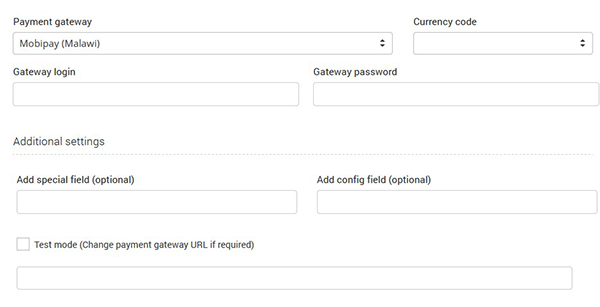
Mobipay systems and services are built for high performance, industry-leading systems, application security, and omni-channel offering to deliver world-class customer experience.
From the Payment Gateway list select Mobipay (Malawi), set a currency code, and type Gateway Login and Gateway Password.
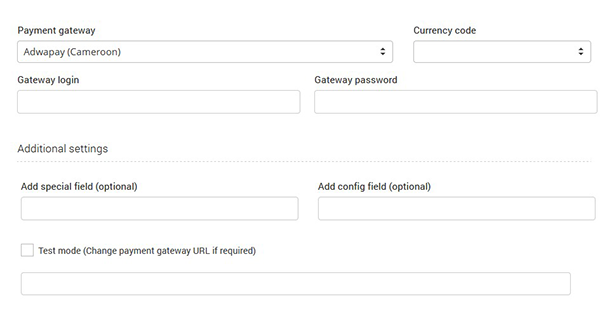
Cloud-based payment platform AdwaPay is a robust and secure solution allowing its users (merchants, customers) to pay by mobile money or bank card.
From the Payment Gateway list select Adwapay (Cameroon), set a currency code and type Gateway Login and Gateway Password.
It is a multi-currency payment gateway that allows businesses to process credit and debit card transactions securely. It is heavily utilized by merchants in the Caribbean and Central America, as well as international companies requiring specialized cross-border payment processing.
DPKU (Direct Payment Key Union) is a specific merchant integration protocol used by BSP Financial Group (formerly Bank of South Pacific) to facilitate online payments across the South Pacific, including Papua New Guinea, Fiji, Vanuatu, and the Solomon Islands.
RakkaCash is a leading mobile money platform in the Democratic Republic of Congo (DRC) and the Republic of Congo, launched by BGFIBank Group in late 2023.
Paynow functions as a comprehensive bridge that allows businesses and individuals to accept and make payments across multiple platforms, including mobile money, bank cards, and international systems.
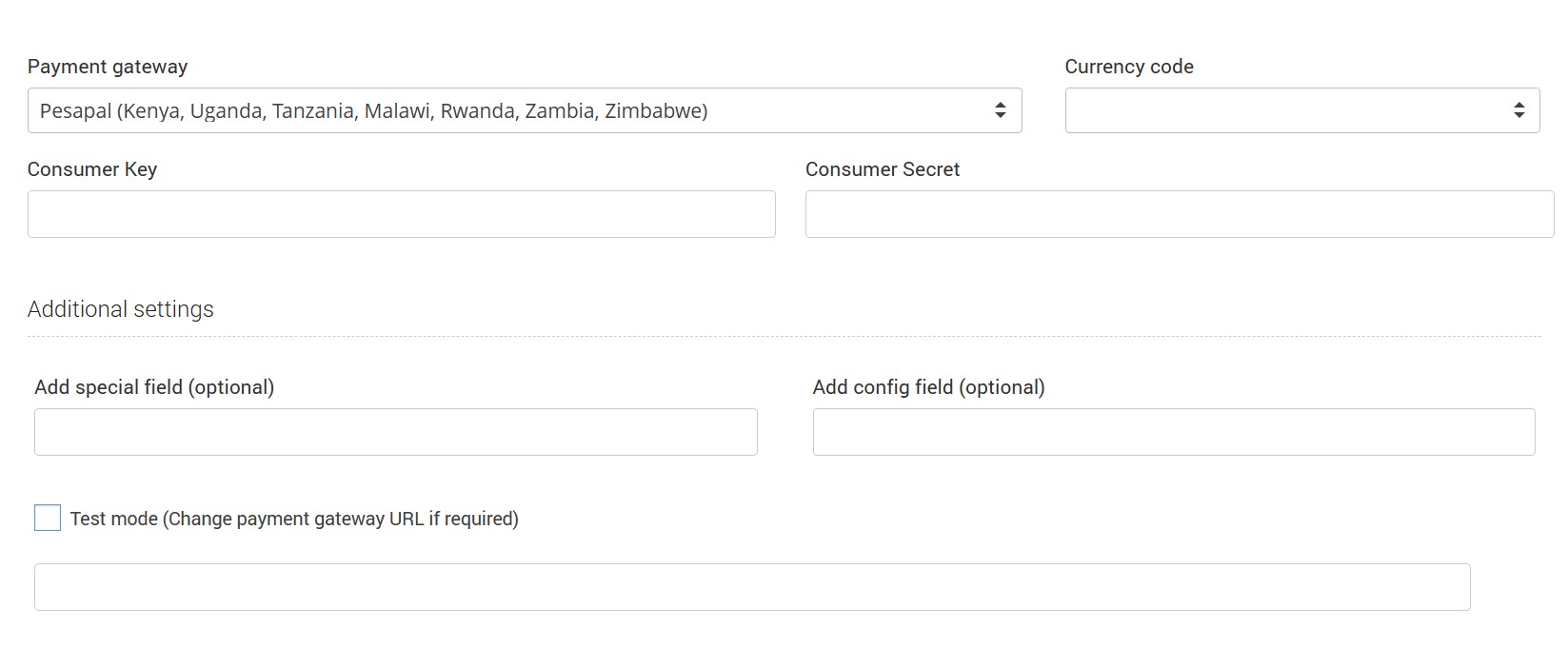
Pesapal offer complete payment solutions for your online business.
From the Payment Gateway list select Pesapal (Kenya, Uganda, Tanzania, Malawi, Rwanda, Zambia, Zimbabwe), set a currency code, and type Gateway Login and Gateway Password.
For MTN Momo, please whitelsit these URLs
You need to configure API User in Gateway login, API Key in Gateway password and Subscription Key as the special field in our portal.
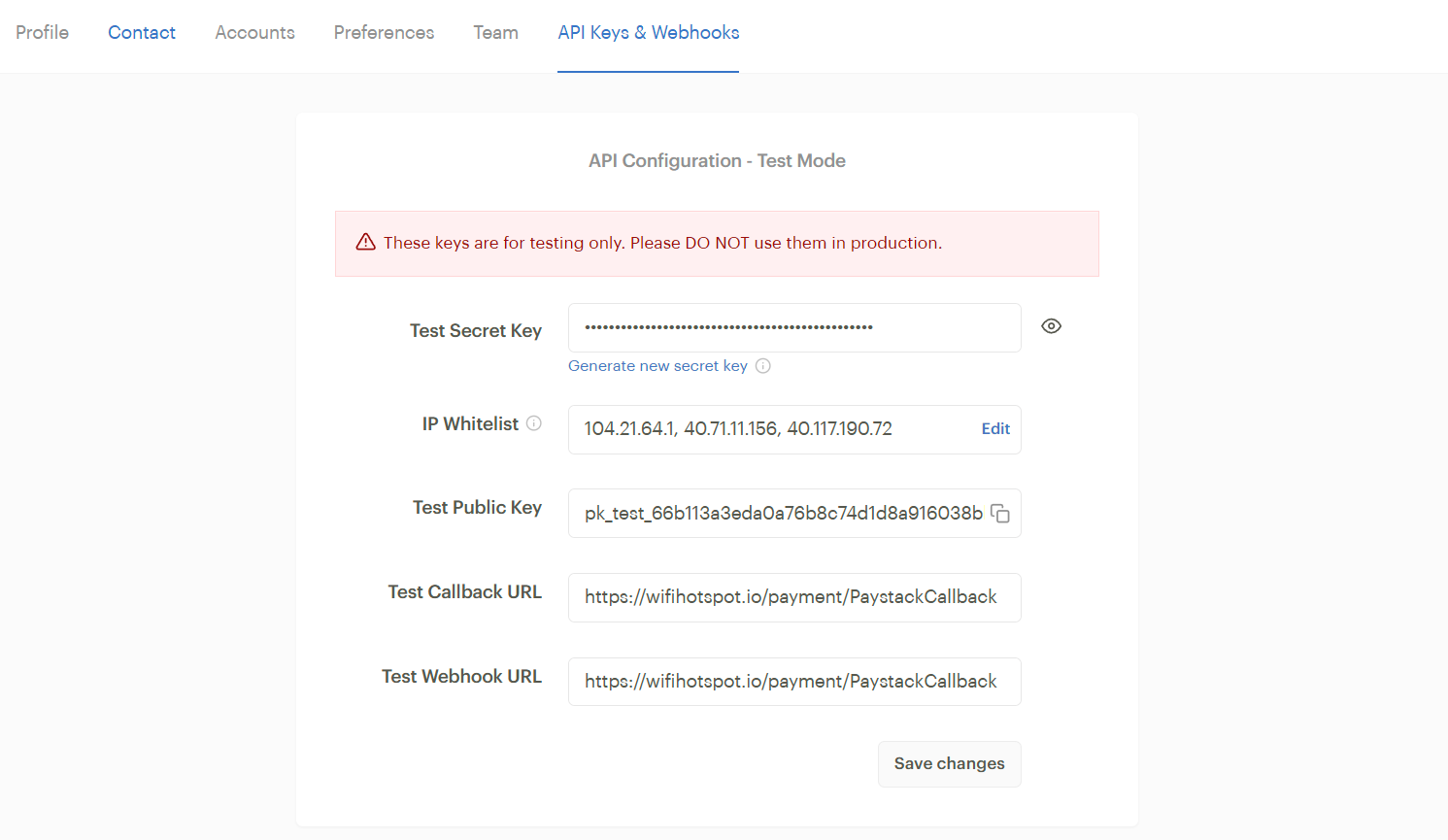
Paystack is an online payment gateway that enables businesses to securely accept payments via credit cards, debit cards, bank transfers, and mobile money, primarily serving African markets.
From the Payment Gateway list select Paystack, set a currency code, and type Public Key and Secret Key.
You can create test keys for Paystack. Test details are provided on Paystack portal and can be used for testing only, do not use test keys for production.
Safaricom’s M-PESA is a revolutionary mobile money service launched in Kenya in 2007, allowing users to deposit, send, withdraw, and pay with money via their phones, serving millions across Africa and beyond as a key tool for financial inclusion.
From the Payment Gateway list select Safaricom, set a currency code, and type Api Key.
For the Wave payment page to load and function correctly within a WiFi hotspot captive portal, all required domains must be whitelisted on the access point/router.
Third-party Dependencies (Mobile OS related)
These may be needed for:
OS-level security, redirection handling, and app linking.
Some users may be redirected to download the Wave app.
Once all these domains are whitelisted, we recommend testing again on:
Android devices
iPhones/iPads
Desktop browsers
Make sure the Wave app redirection and browser fallback both function smoothly.
To configure Halyk Bank ePay payment gateway, type Client ID and Client Secret, Store ID and Terminal ID, enter Gateway URL and save changes
AzamPay is East Africa’s leading payment infrastructure company, specialized in developing comprehensive digital commerce solutions that power business growth.
To configure AzamPay payment gateway, type Client ID and Client Secret, App Name and optional Config field, enter Gateway URL and save changes.