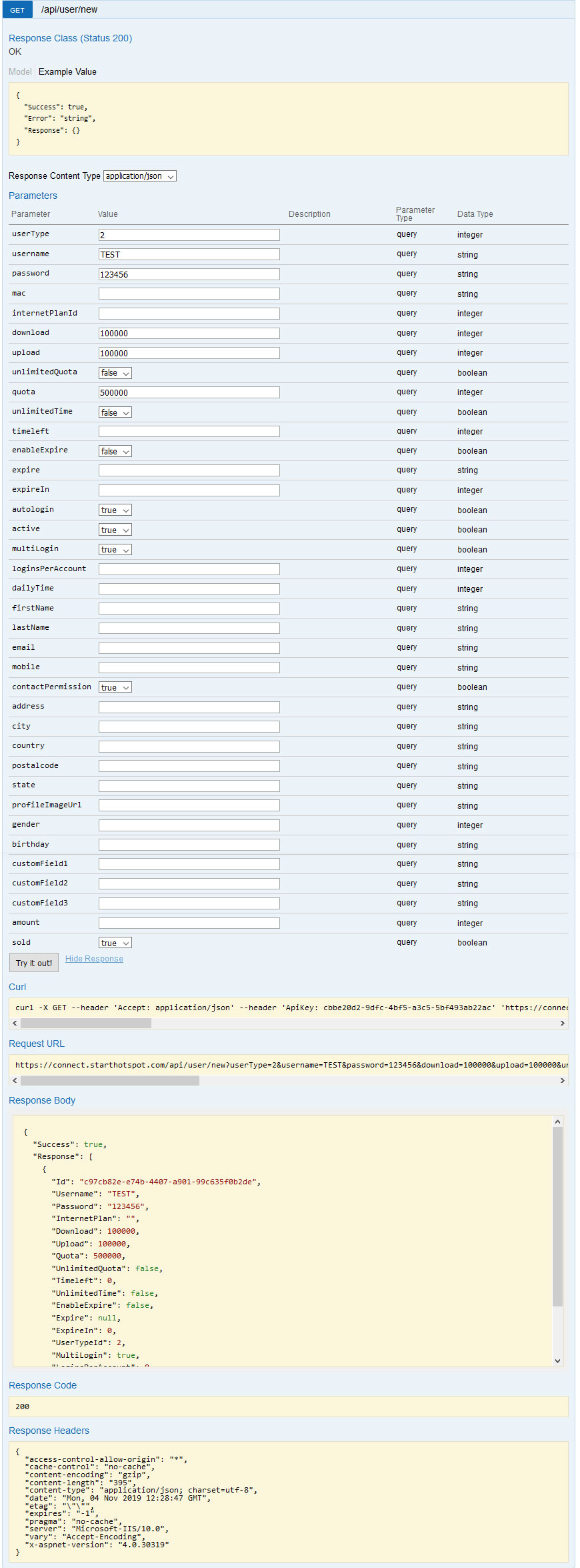
API: Create Account
In the following example, we will show you how to create a new User using API.
Parameters
Each parameter has the name, value type, and optional description.
Example
Login to your portal account and go to the API menu.
From the UserAPI section click on the Show/Hide to list all operations.
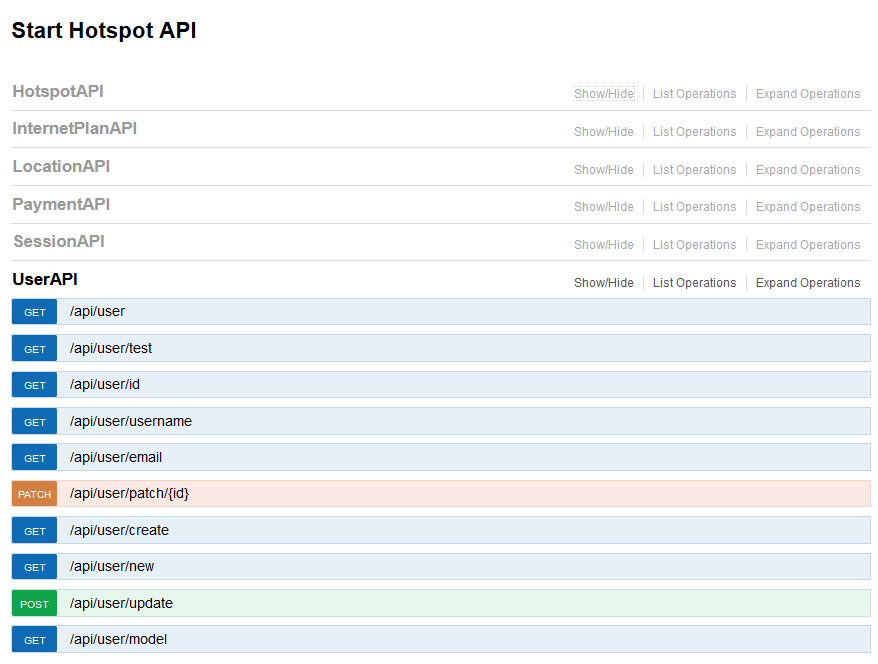
To create new User click GET/api/user/new.
Set Value in the Parameters section.
When you have entered the desired values click Try it out! button and the new user will be created.
Note: When InternetPlanId is set there is no need to enter other values, since it will be picked up from the selected Internet plan.