
API
API (Application Programming Interface) is a method of communication between software operations and enables interaction between data, applications, and devices. API processes requests, deliver data and facilitates connectivity between devices and programs to ensure the seamless functioning of various software components. API parameters are defined below, each parameter has the name, value type, and optional description.
We use swagger to allow visualization and interaction with our API resources without having any of the implementation logic in place.

General response class returns status 200 when executed, with parameters:
HotspotAPI
Endpoint: hotspot/id
Search by the Hotspot Id (Guid)
Endpoint: hotspot/mac
Search by the Hotspot MAC
Endpoint: hotspot/name
Search by the Hotspot name (or part of the name)
Endpoint: hotspot/location
Search by the location name (or part of the name)
Endpoint: hotspot/modelname
Search by Hotspot model (or part of the name)
Endpoint: hotspot/model
Parameters returned in responses
InternetPlanAPI
Endpoint: internetplan/id
Search by the InternetPlan Id (Guid)
Endpoint: internetplan/name
Search by the InternetPlan MAC
Endpoint: internetplan/model
Parameters returned in responses
LocationAPI
Endpoint: location/id
Search by the Location name (Guid)
Endpoint: location/mac
Search by the Location name
Endpoint: location/model
Parameters returned in responses
PaymentAPI
Endpoint: payment
Endpoint: payment/id
Search by the Payment Id (Guid)
Endpoint: payment/model
Parameters returned in responses
SessionAPI
Endpoint: session
Endpoint: session/id
Search by the Session Id (Guid)
Endpoint: session/model
Parameters returned in responses
UserAPI
Endpoint: user
Endpoint: user/test
Endpoint: user/id
Search by the User ID
Endpoint: user/username
Search by the Username
Endpoint: user/email
Search by the user email
Patch: user/patch/{id}
Endpoint: user/create
Endpoint: user/new
Create a new User
Post: user/update
Endpoint: user/model
Parameters returned in responses
C# Example:
Here are examples how to use API.
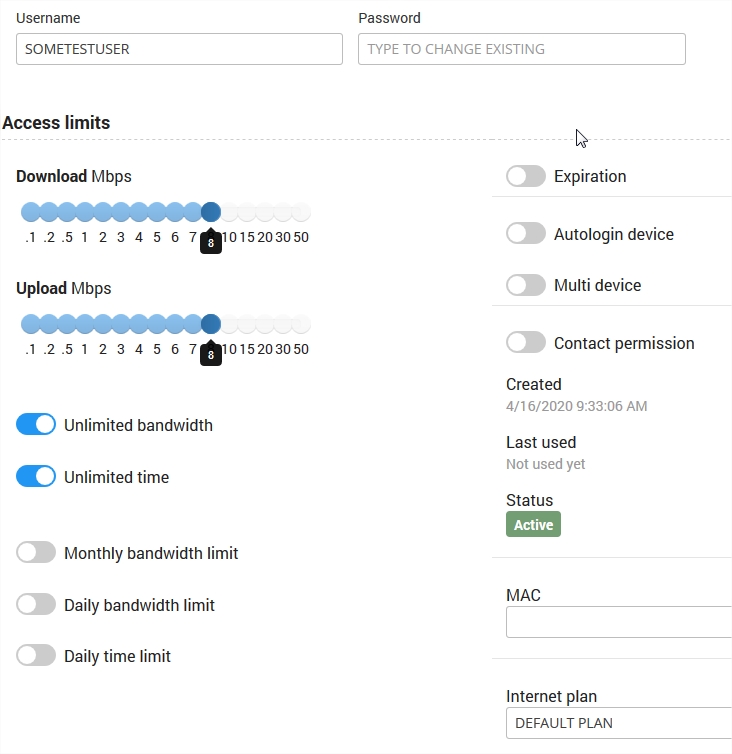
In this example we will change Internet Plan name on user account and it will be done on SOMETESTUSER account.
Initial Cloud WiFi user account screen:
You can open Swagger directly using this link
https://wifihotspot.io
Put there API key and press Explore button.
We’ll put some data:
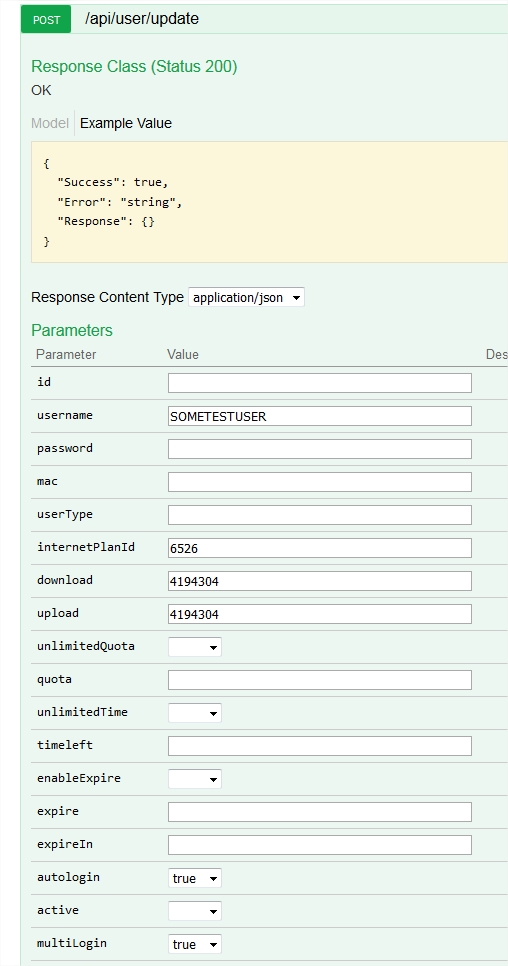
Before executing, open up inspector in your browser (F12 ) and go to Network tab.
Account gets updated:
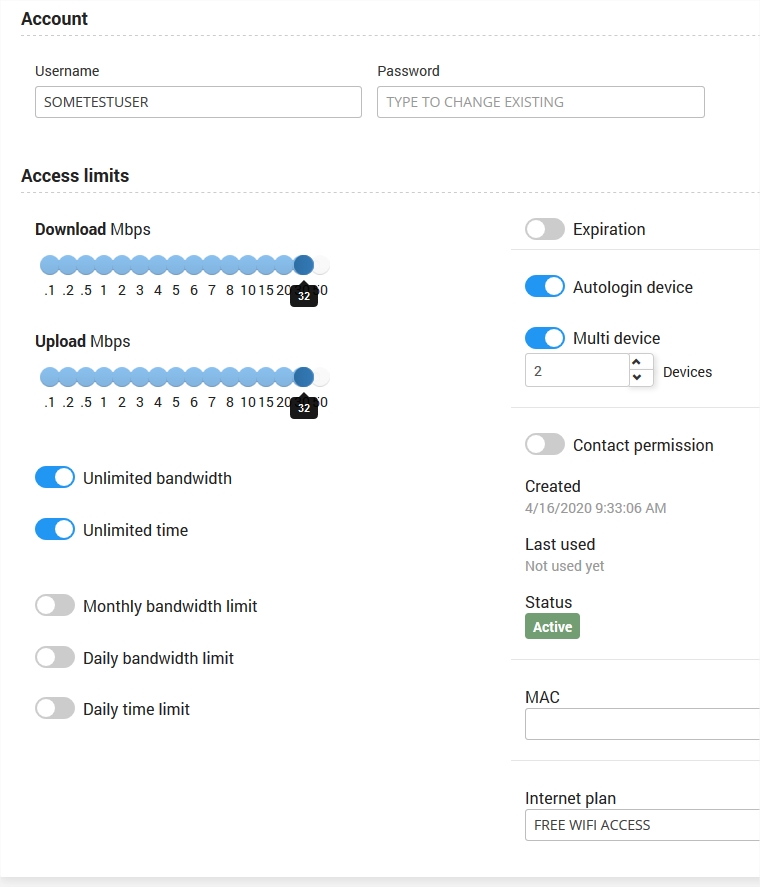
We’ll get this response:
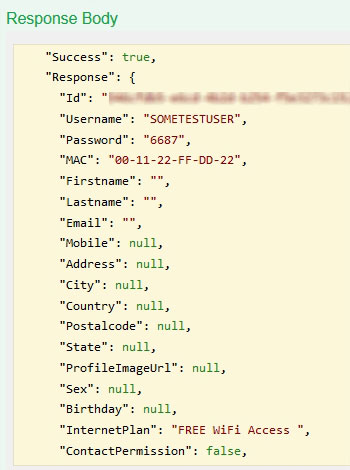
Let’s check browser inspector:
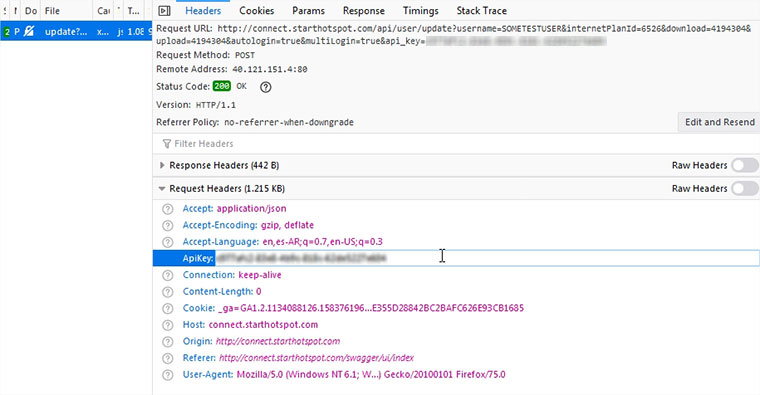
It’s a post.
ApiKey needs to be stated in Request Header, with params:
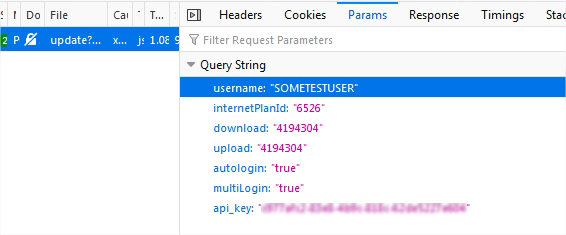
api_key is not required in params, only in header.
Postman example:
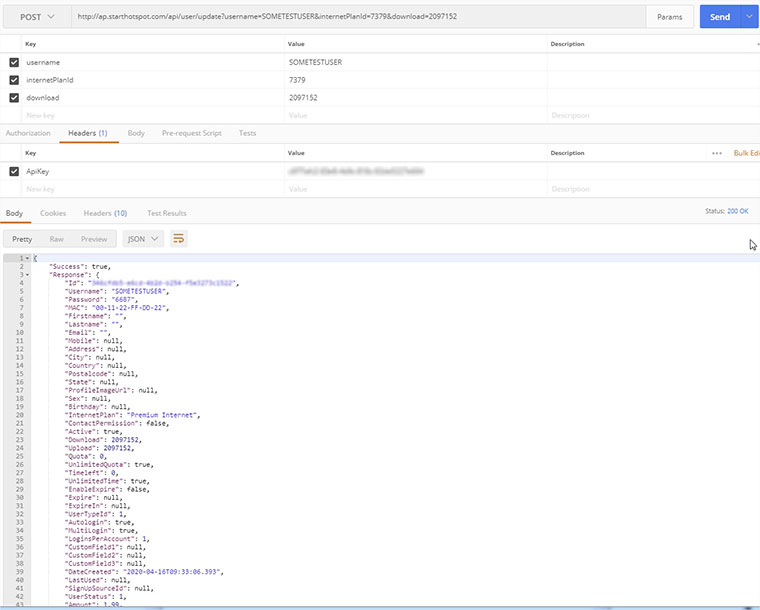
To update user account, you need to specify each field you want to change, like download, upload, quota, time left, name of the plan. etc.
Changing plan id, replaces just this one field, not all associated fields of the user account.